
Siril: Free Astrophotography Software, Scripts, and Tutorials

Siril is free, open-source astrophotography software for calibrating, stacking, and processing astronomical images. It can turn a folder of individual exposures into a finished photograph of a nebula, galaxy, or star cluster.
I have processed a few images with Siril, but I do not personally use it very much. It is not part of my current image processing workflow, which relies on PixInsight and Photoshop. Even so, I consider Siril an excellent alternative to PixInsight, particularly if you want capable deep-sky processing software without the purchase price.
This guide explains what Siril does, who it suits, and how to get started. I will also point you toward Nico Carver’s Siril tutorials, which are a great resource for learning the actual processing steps.
Last updated: October 6, 2026.
Is Siril good for astrophotography? Yes. Siril supports a complete deep-sky workflow, including calibration, image stacking, background correction, color calibration, and stretching. It is useful for beginners and experienced imagers alike. The software is free; learning how to make good processing decisions still takes practice.
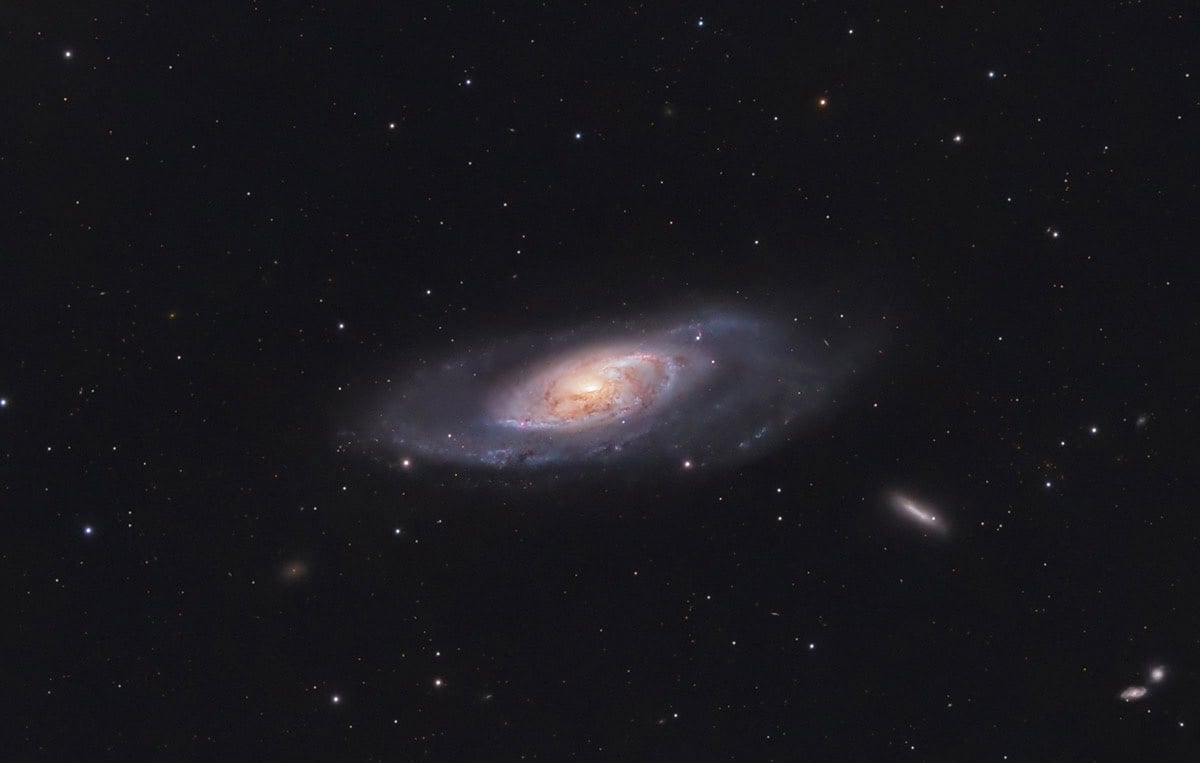
I used Siril to process this image of the M106 Galaxy taken from my backyard.
What Is Siril?
Siril is a desktop application designed for astronomical image processing. It runs on supported versions of Windows, macOS, and Linux, and handles both preprocessing your exposures and developing the combined image.
Those are two different jobs. Preprocessing prepares and combines your data through calibration, registration, and stacking. Post-processing makes the faint signal visible and helps you control the background, color, and contrast.
You can use Siril with supported DSLR and mirrorless RAW files, astronomy-camera FITS files, and compatible images exported by smart telescopes. It also supports monochrome workflows, where separate filter channels are processed and combined.
If you are building your software toolkit, my astrophotography resources page connects this guide with the other tools involved in planning, capturing, and processing an image.
This is a handy video tutorial by Nico Carver using Siril to process an image of the Pinwheel Galaxy.
Who Is Siril Best For?
Siril makes particular sense when you want to learn deep-sky processing before spending money on another piece of software. Astrophotography already gives us plenty of opportunities to spend money!
- Beginners: Learn what happens between collecting exposures and sharing a finished image.
- DSLR and color-camera users: Calibrate and stack your exposures, then develop the result in the same application.
- Smart-telescope owners: Take more control over compatible exported data.
- Experienced imagers: Build repeatable workflows with scripts and explore advanced processing tools.
Free does not mean effortless. File organization and unfamiliar terms can be frustrating initially. Start with one dataset and one complete tutorial. Understanding a small set of tools is more valuable than trying every option in the menus.
Siril Price and Download: Is It Really Free?
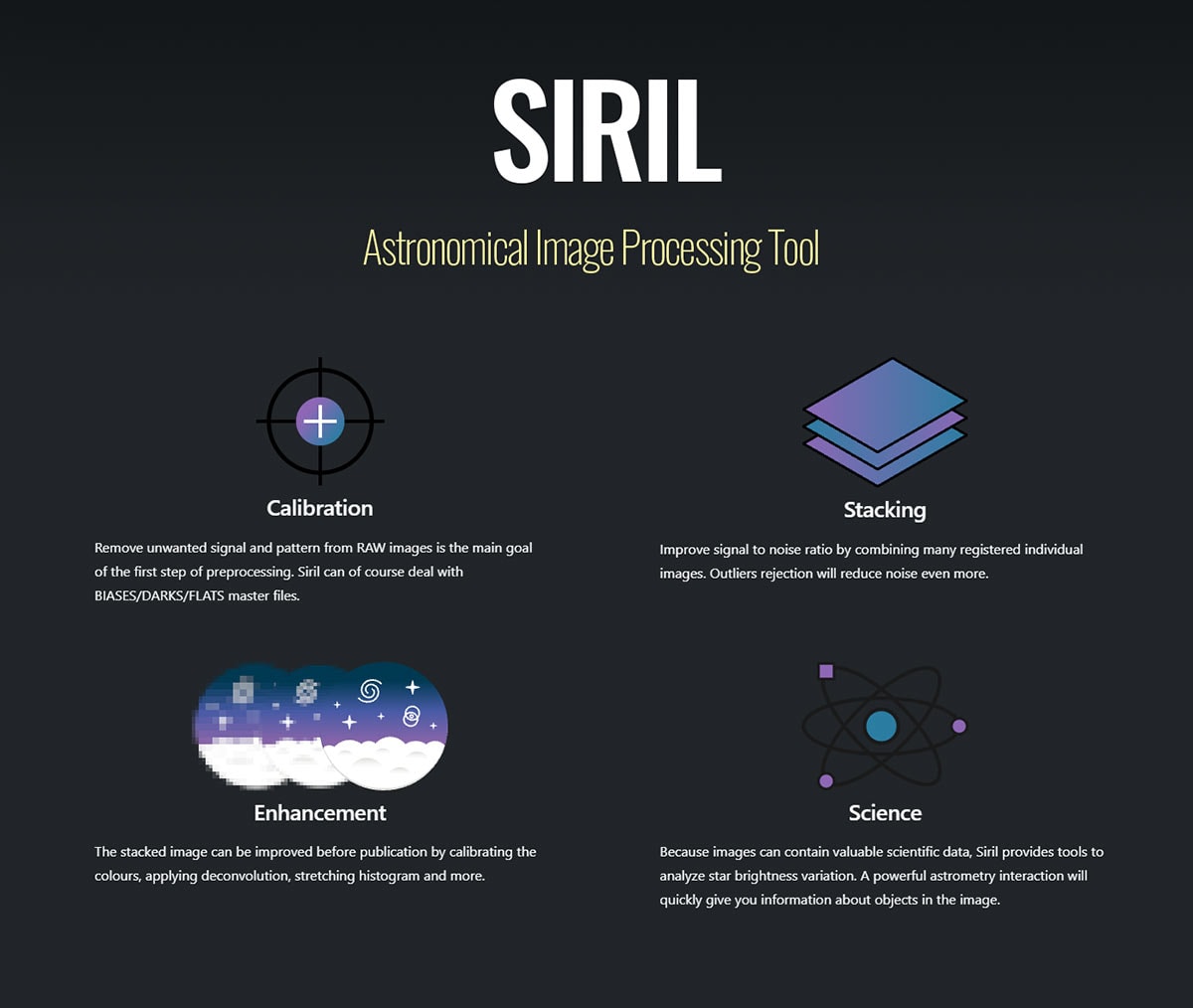
Siril is free and open source. The core application does not require a subscription or a paid license after a trial period. Optional third-party tools or paid learning resources are separate.
Get the installer from the official Siril download page. At this update, the listed stable release is Siril 1.4.4. Select the appropriate operating-system package, including the correct Intel or Apple Silicon version for your Mac.
Use the documentation for your installed version. Older Siril tutorials remain useful for learning concepts, but screenshots, menu locations, and available tools can differ. For your first project, choose the stable release rather than a development build.
Siril Astrophotography Tutorial: A Basic Deep-Sky Workflow
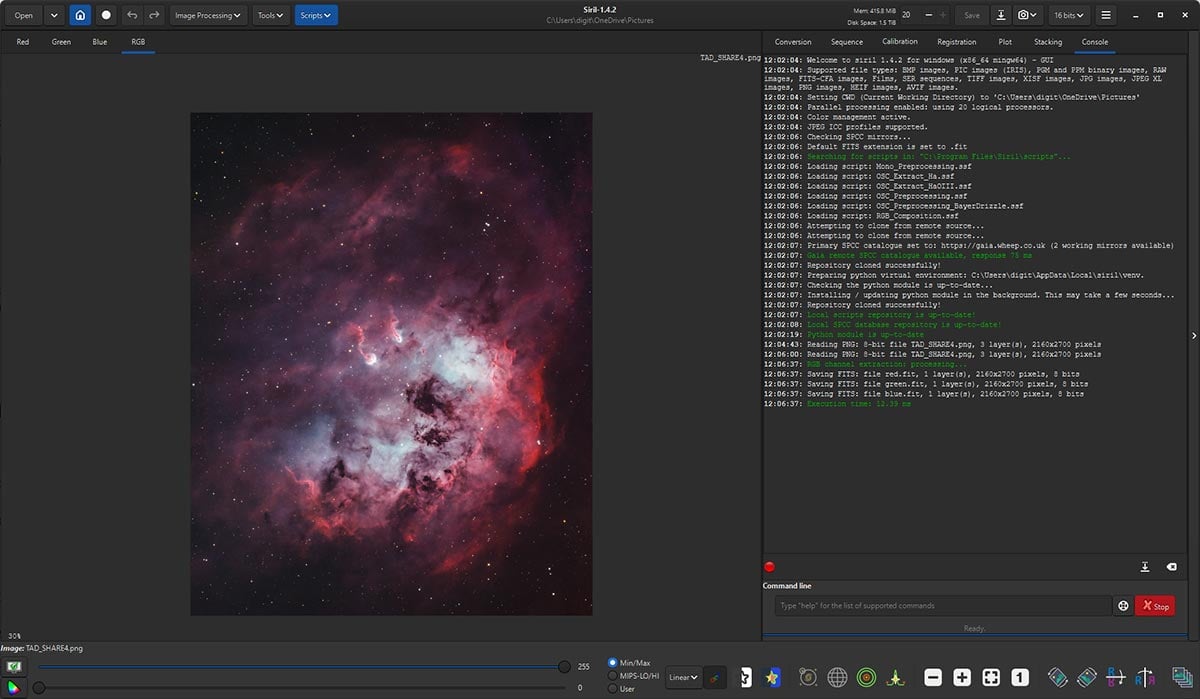
The following sequence explains the main stages. The exact settings depend on your camera, filters, and files, so use a tutorial that matches your equipment and Siril version.
1. Organize Your Light and Calibration Frames
Your light frames are the exposures of the target. Appropriate darks, flats, and bias or dark-flat frames help correct sensor and illumination effects. The calibration combination depends on your camera and processing method.
Keep your originals backed up and work in a separate project folder. Check which frame types your chosen script expects before running it. A script requiring flats will not become a suitable lights-only workflow simply because you leave that folder empty.
2. Calibrate, Register, and Stack
Calibration corrects repeatable effects in the individual exposures. Registration aligns the stars, and stacking combines the aligned images to improve the signal-to-noise ratio.
Inspect your exposures first. Bad focus, severe trailing, or clouds can reduce the quality of the final result. More frames are useful when they contribute worthwhile data.
Siril can automate these stages with a suitable preprocessing script. For a broader explanation of stacking and the other available applications, see my astrophotography image stacking software guide.
3. Inspect the Stack and Correct the Background
A newly stacked image may look almost black. Use the Autostretch display mode to inspect it. This changes the preview, not the underlying pixel values.
Crop poorly covered edges where necessary, then assess gradients. Siril’s background extraction tool models uneven background brightness, such as gradients caused by light pollution.
Place background samples carefully. Faint nebulosity and dark dust are part of your photograph, and treating them as unwanted background can remove real detail. Aim for a believable background, rather than a perfectly black one.
4. Calibrate the Color
For suitable color data, Siril offers Spectrophotometric Color Calibration (SPCC). It uses stellar reference information and the imaging system’s response to establish the color balance.
Follow its requirements for plate solving, catalog access, and camera/filter selections. Apply it to linear data before a permanent stretch. An SHO narrowband palette involves different color-mapping decisions from a broadband galaxy image.
5. Stretch the Image
Stretching redistributes brightness values so faint structures become visible. Unlike the Autostretch preview, applying a stretch changes the image itself.
Siril includes Histogram Transformation, Asinh, and Generalized Hyperbolic Stretch (GHS) tools. You do not need to master all of them immediately.
Watch the bright stars and galaxy or nebula cores as you bring out faint detail. Avoid clipping the shadows to hide noise: that can also discard the subtle signal you spent hours collecting.
6. Refine and Export
Adjust contrast and saturation, and assess noise at a sensible viewing scale. Save intermediate versions so you can revisit an earlier decision.
Keep a high-precision FITS master. If continuing in another editor, export a compatible high-bit-depth TIFF. Create a separate JPEG for sharing after finishing the image; a compressed web image should not become your processing master.
Siril Scripts: What They Do and How to Use Them
A Siril script runs a sequence of commands automatically. Traditional Siril script files use the .ssf extension. They are especially useful for repeating preprocessing tasks without clicking through every operation.
Siril 1.4 also introduced Python scripting and repository integration, expanding what automated workflows can do. You do not need to write code to use an existing script.
- Choose a matching workflow: Check the camera type, calibration requirements, and supported Siril version.
- Read its instructions: Follow the required folder structure and file naming.
- Set the working directory: For folder-based scripts, select the parent project folder containing the requested subfolders.
- Run and inspect: Read the console output, then check the resulting stack.
For additional scripts in the 1.4 interface, use Scripts > Get Scripts. Select the scripts you want displayed and apply the changes. The official scripting documentation explains script management.
Siril script execution failed? Start with the first relevant error in the console. Check the working directory, required folders, input files, and available disk space. An error about missing calibration frames usually calls for correcting the input or choosing a suitable script.
Learning Siril with Nico Carver’s Tutorials
If you want a detailed Siril tutorial, Nico Carver’s Nebula Photos YouTube channel is an excellent place to start. Nico has released many tutorials featuring Siril, including complete projects that connect image capture with processing.
His Andromeda Galaxy tutorial resources include example data and a Siril-plus-GIMP processing route. His galaxy processing tutorial using free software is another useful starting point.
Follow along with the same data when available. That removes the uncertainty of wondering whether a different result comes from your processing or your exposures. Check the tutorial’s software version before expecting every menu to match.
I would use Nico’s videos for the practical walkthrough and the official Siril tutorials for individual tools. Finish one image before branching into several competing workflows.
Siril Alternatives: Feature Comparison
The best Siril alternative depends on which part of processing you want to change. Some programs cover the entire deep-sky workflow; others specialize in stacking or final editing.
| Software | Features and Best Fit |
|---|---|
| Siril | Cost: Free, open source. Stacking: Calibration, alignment, integration. Editing: Background extraction, SPCC, stretching, scripts. Best fit: Complete deep-sky processing on a limited budget. |
| PixInsight | Cost: Paid license. Stacking: Calibration, alignment, integration. Editing: Extensive astronomical processes, masks, scripts, and plugins. Best fit: Detailed control and a highly customizable workflow. |
| Astro Pixel Processor | Cost: Paid license options. Stacking: Calibration, alignment, integration, mosaics. Editing: Background correction, color tools, stretching. Best fit: A staged workflow, including multi-session and mosaic projects. |
| DeepSkyStacker | Cost: Free, open source. Stacking: Calibration, registration, stacking. Editing: Limited adjustments; pair with another editor. Best fit: Preparing a stack for further processing elsewhere. |
| Photoshop | Cost: Subscription. Stacking: Use dedicated astro software for routine calibration and integration. Editing: Layers, masks, curves, selective adjustments. Best fit: Finishing a stacked image and general photography. |
For more options, see my astrophotography image processing software comparison. Photoshop can complement Siril rather than replace its calibration and stacking functions.
Siril vs. PixInsight: Which Should You Choose?
I would put Siril on your shortlist first if software cost is a major consideration. You can learn the essential processing stages and produce finished deep-sky images without buying a license.
I use PixInsight because its tools and familiar workflow suit the way I process my images. That preference does not mean you need PixInsight to produce excellent work, or that Siril is something you must eventually outgrow.
Consider the tutorials you enjoy, the operations you need, and how comfortable you feel making adjustments. If Siril gives you the control you want, there is no reason to switch simply because someone else uses a paid program.
What Computer Do You Need for Siril?
Start by checking operating-system compatibility on the official download page. Processing demands depend on your image dimensions, frame count, and chosen operations.
Fast SSD storage and enough free space matter because preprocessing creates intermediate files. Large stacks and drizzle processing can substantially increase storage and memory requirements.
Try a smaller dataset on your existing machine before buying new hardware. My computer for image processing guide explains the practical considerations for an astrophotography workstation.
Frequently Asked Questions
Can I process Seestar images in Siril?
Yes. Siril provides an official Seestar processing tutorial. An unstretched FITS stack offers more flexibility than a finished JPEG. Check whether your files are individual exposures or an existing stack, and which calibration steps have already been applied.
Why is my Siril image green or almost black?
An almost-black stack may simply be linear data awaiting a stretch. A green cast can appear in uncalibrated color data. Check the RGB view, debayer settings where applicable, and color calibration before assuming the image is unusable.
Can Siril process narrowband images?
Yes. Siril supports processing and combining separate channels. Your workflow will depend on whether you captured monochrome filter data or used a dual-band filter with a color camera.
Do I need Photoshop with Siril?
No. Siril can produce a finished image. A separate editor is optional if you prefer its layers, masks, or finishing tools.
Ready to try Siril? Download the stable release, choose one of Nico’s beginner tutorials, and process a single dataset from beginning to end. Learning why each step helps your image will pay off with every clear night that follows.